Listings
Industry Benchmarking
Listings Insights now shows how each location's performance compares to similar brands nearby. Whichever metrics a brand has data for, including impressions, calls, or driving directions, get a benchmark range and median built from anonymized Yext customer data, so every number has context instead of standing alone. Benchmarks appear automatically in the Visibility and Engagement drawers on the Performance tab once the feature is enabled. This data is also available in the Yext MCP.
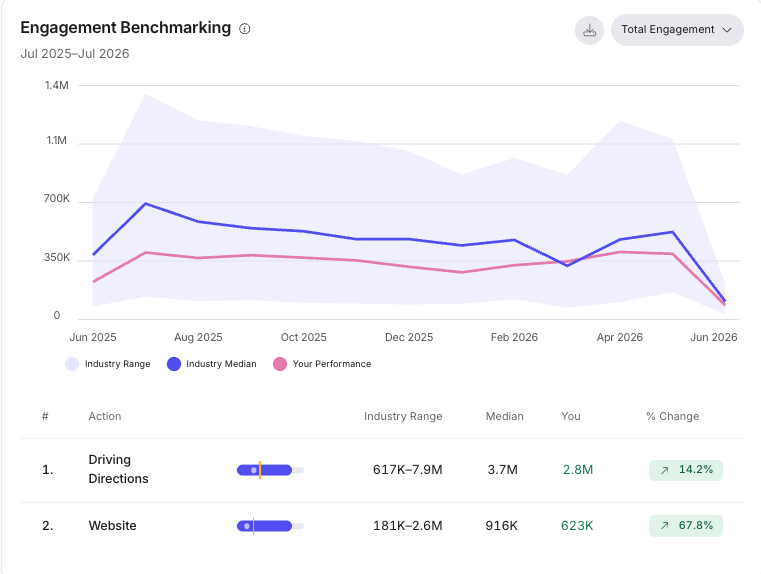
See the Review Listings Insights doc to learn more.
Publishers
Google Attribute Suggestions Rolled Out to all Businesses
Attribute suggestions are being expanded from a limited rollout to all businesses, making the feature more broadly available.
Multi-Language Listings Support for Apple
Apple now supports delivery of multi-language listing content for supported fields when multi-language is enabled in the platform. Previously, localized values were not included in Apple Listings exports even when customers had configured multilingual content; with this change, supported localized fields—currently the Name & Description fields—will now be delivered to Apple.
Publisher Disruptions via Yext MCP
The Yext MCP now exposes Publisher Disruptions data, so users can ask directly whether a specific publisher has any ongoing issues instead of checking the Publishers page manually. Users can also ask for the latest status update on a disruption as it progresses.
Publisher Deprecation: 11880
11880 will leave the publisher network on Aug 1, 2026. We will no longer be syncing data to this publisher.
Reviews & User-Generated Content
Archive Review Solicitation Emails Using a BCC Address
Organizations can now automatically archive every outgoing Review Generation email by configuring a BCC address on their Review Generation account. This feature enables organizations with compliance or auditing requirements to maintain an audit trail of all review solicitations without manual effort.
To configure your BCC address, go to Review > Generation > Settings and add your BCC email address to the BCC Email Address setting.
After setup, Yext automatically sends an exact blind carbon copy of every outgoing Review Generation email to the email addresses you specified.
The BCC address is configured at the account level and applies to all Review Generation email solicitations sent from that account. There is no change required to existing templates or invite workflows.
Syndicating Reviews to Healthgrades
Healthcare organizations using Yext can now syndicate their reviews directly to Healthgrades, ensuring provider profiles on Healthgrades reflect the most up-to-date patient feedback. Previously, Yext could monitor and respond to Healthgrades reviews, but customers had no way to push their own review data back to Healthgrades. Now, users can select reviews in Yext and submit them to Healthgrades for display on provider profiles.
To add reviews to Healthgrades, do the following:
- Go to Reviews > Monitoring.
- Select one or more reviews to add, and in the bulk action the toolbar at the bottom, click the Syndication logo (looks like a snowflake).
The reviews you selected will appear on Healthgrades shortly.
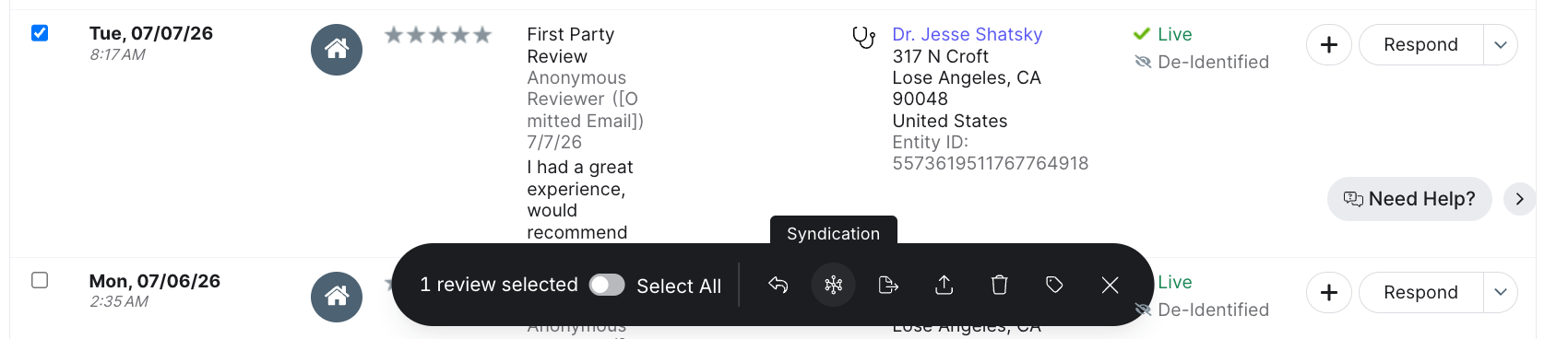
The Syndication action appears in the Review Monitoring bulk action toolbar when the following conditions are met:
- The entity has an NPI (National Provider Identifier) configured.
- The entity has reviews in Yext.
To enable this feature, contact your Customer Success Manager.
Review Generation Now Available to Non-HIPAA Healthcare Customers
Healthcare businesses outside the United States can now use Yext Review Generation to solicit reviews from their patients and customers.
Previously, Yext's review generation validation treated all healthcare entity types as subject to US HIPAA requirements, which blocked non-US healthcare businesses from sending review invitations. This update decouples the review generation restriction from US-only HIPAA compliance logic, allowing non-US healthcare businesses to solicit reviews and use all Review Generation features and workflows.
US healthcare entities are unaffected by this change.
To enable this feature, contact your Customer Success Manager.
Allow Review Responses Without Attestation Prompt or Compliance
Organizations using the Yext Reviews integration with Hearsay Compliance can now have better control over when the compliance attestation modal appears on review responses. Previously, every review response for the organization triggered the attestation prompt, adding friction for teams whose entities or users do not all require attestation.
With this release, users assigned a new Bypass Compliance Attestation permission are not required to complete the compliance attestation prompt. To assign the permission at the account level, go to Account Settings > Roles and assign it to your desired role or create a new role.
Social
Facebook Paid Ad Comment Monitoring
Users can now quickly reply, like, hide, block, and delete comments on Facebook paid ads from Yext Social. This more centralized content moderation option allows for better efficiency and less context switching between platforms.
Comment monitoring works via a webhook. When the system finds a comment on a paid ad, it automatically fetches the parent ad post and ingests both the post and the comment. Paid ad posts without comments are ignored.
Paid ad content appear in these locations in the Yext Social:
- Comments & DMs page: paid ad comments appear alongside regular social comments
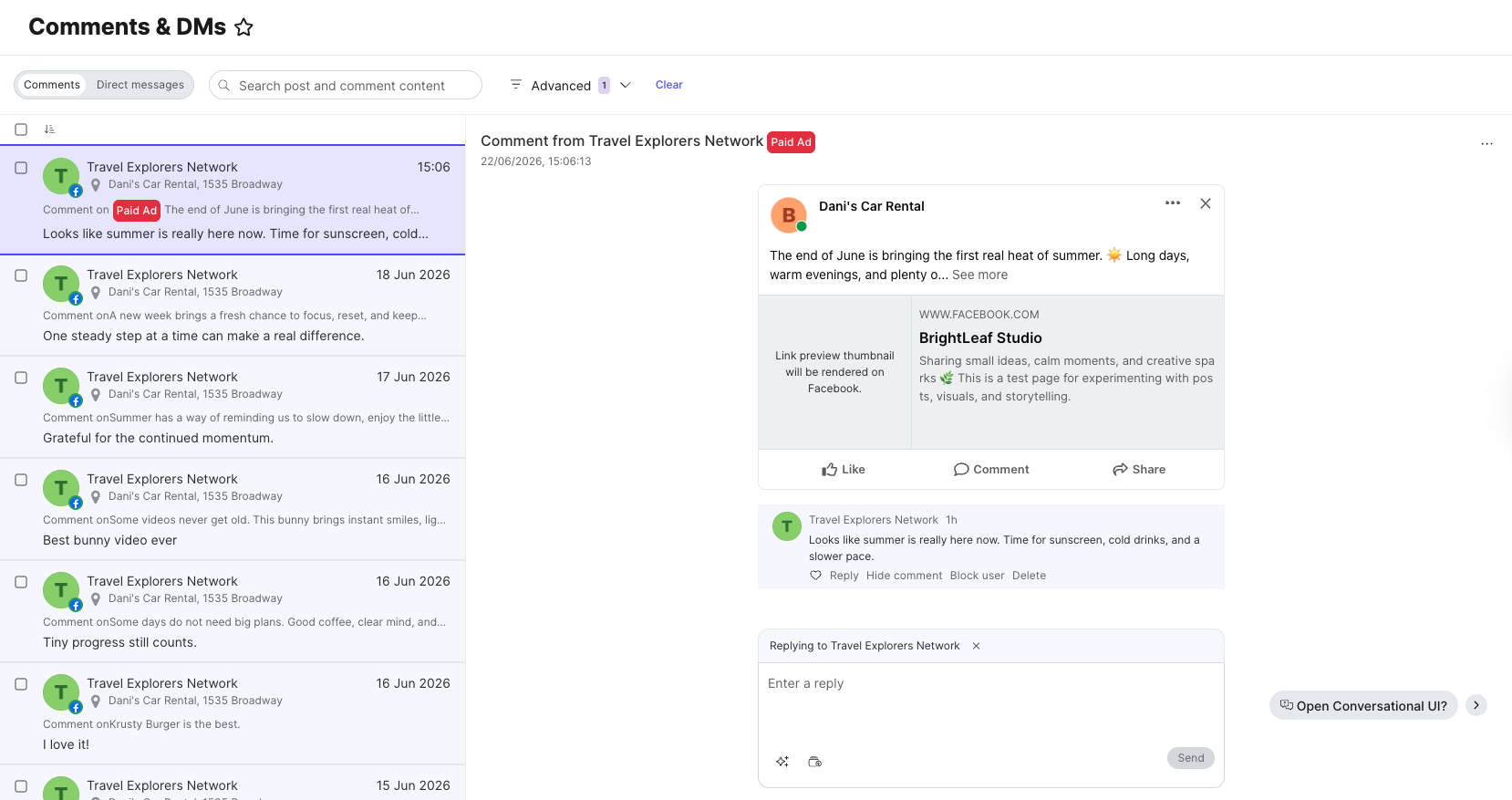
- Post Feed: paid ad posts appear in the Post Feed with a visual Paid Ad badge/tag to distinguish them from organic content
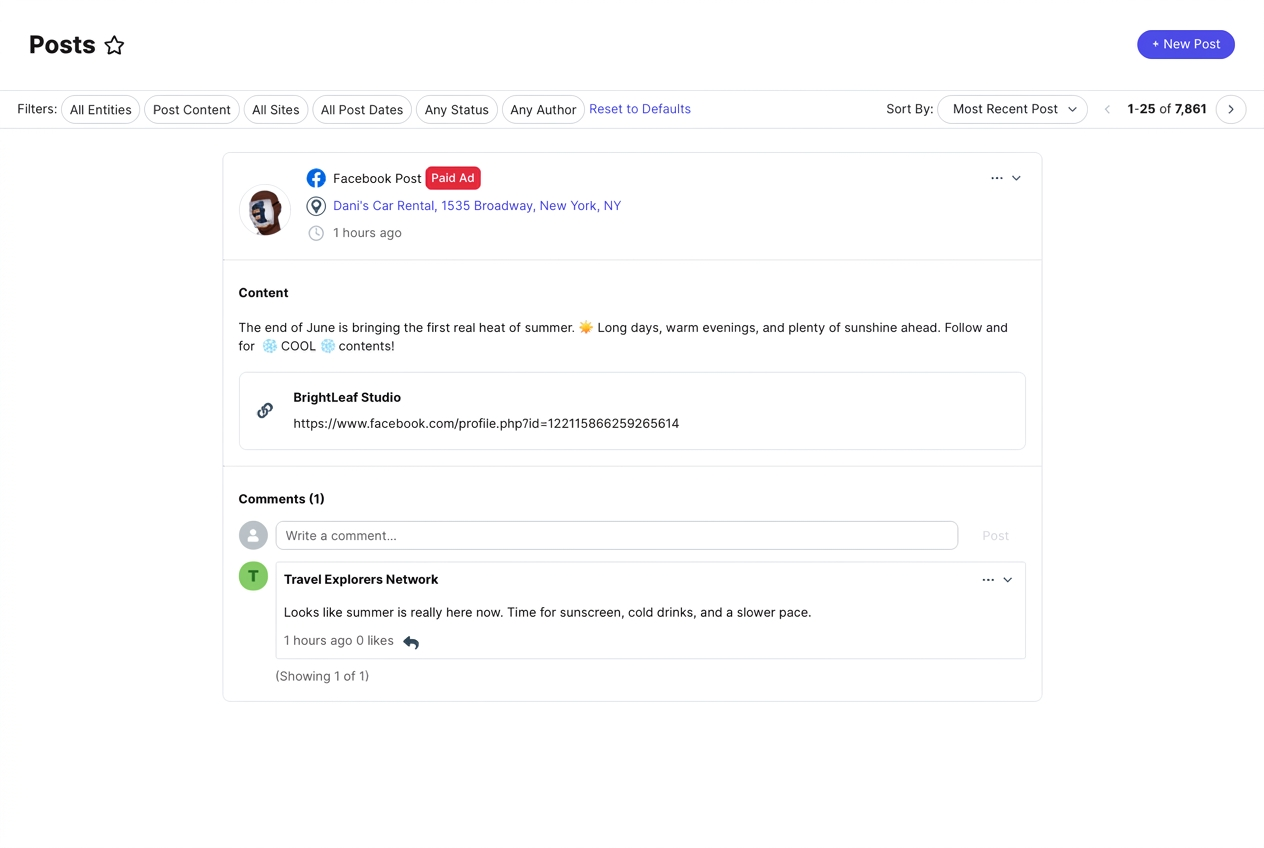
Limitations
- Reporting a comment as spam is not included because it isn't available in the Meta API.
- Comments monitoring is not available for Instagram content.
- This feature does not work retroactively. Only paid ads published from the release date onward can be managed from Yext.
Setup
No setup is required for users. Paid ad comment monitoring is enabled by default. You can disable it by going to Account Settings > Account Features.
Pages
Support "Coming Soon" for Locations in Pages
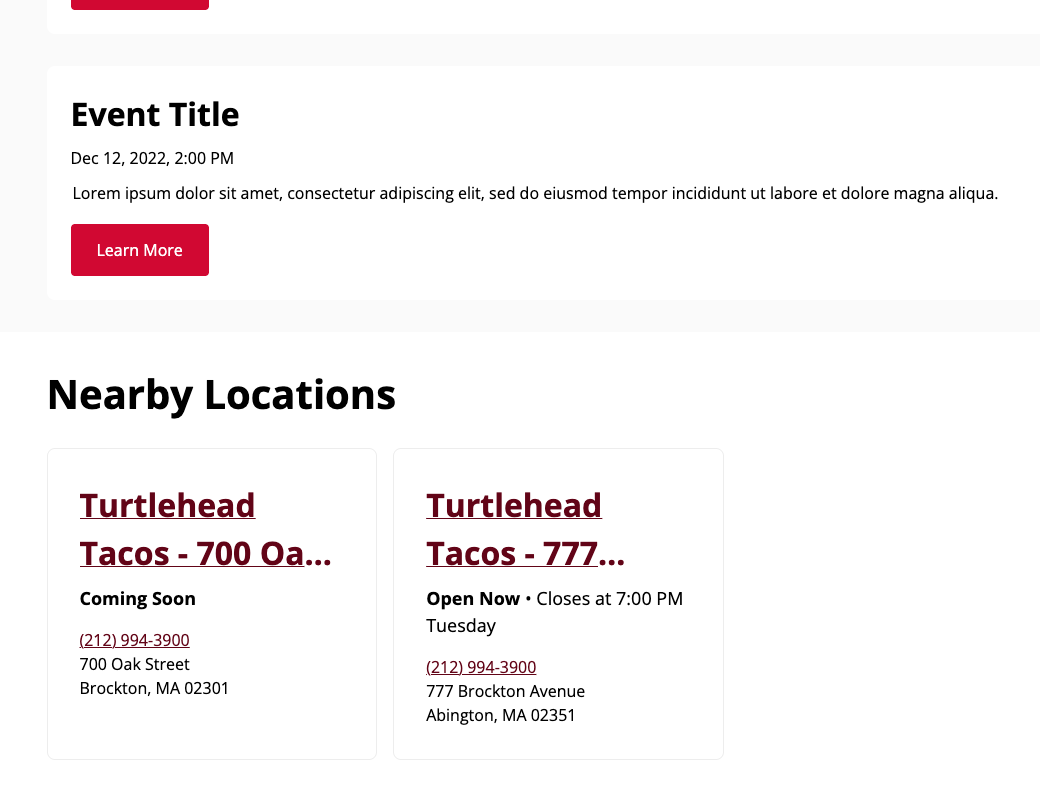
Locator result cards, nearby location modules, and directory pages now surface "Temporarily Closed" and "Coming Soon" statuses. When a location is marked as “Temporarily Closed” or has an “Open Date” in the future set in the Knowledge Graph, the appropriate status text replaces standard operating hours so site visitors always know what to expect before planning a visit or placing an order.
Platform
Action Center
Action Center brings agentically-generated recommendations from across Listings, Reviews, Social, Scout, and Knowledge Graph into one place, so teams no longer have to check each product separately to find what needs attention. Yext's AI agents do the work upfront and surface prioritized actions based on real competitive data rather than generic benchmarks. Users review, edit, and approve before anything goes live, keeping all activity on-brand.
Here are a few examples of what our agents can do:
- Reviews: draft and send responses to customer reviews
- Listings: resolve unavailable reasons flagged by publishers
- Knowledge Graph: fill in missing details like hours or photos, including enrichment suggestions previously found in the standalone Knowledge Graph Enrichment UI
- Social: publish a Google post for the business
Some agents can be tuned with custom prompts to better adapt to your brand’s needs.
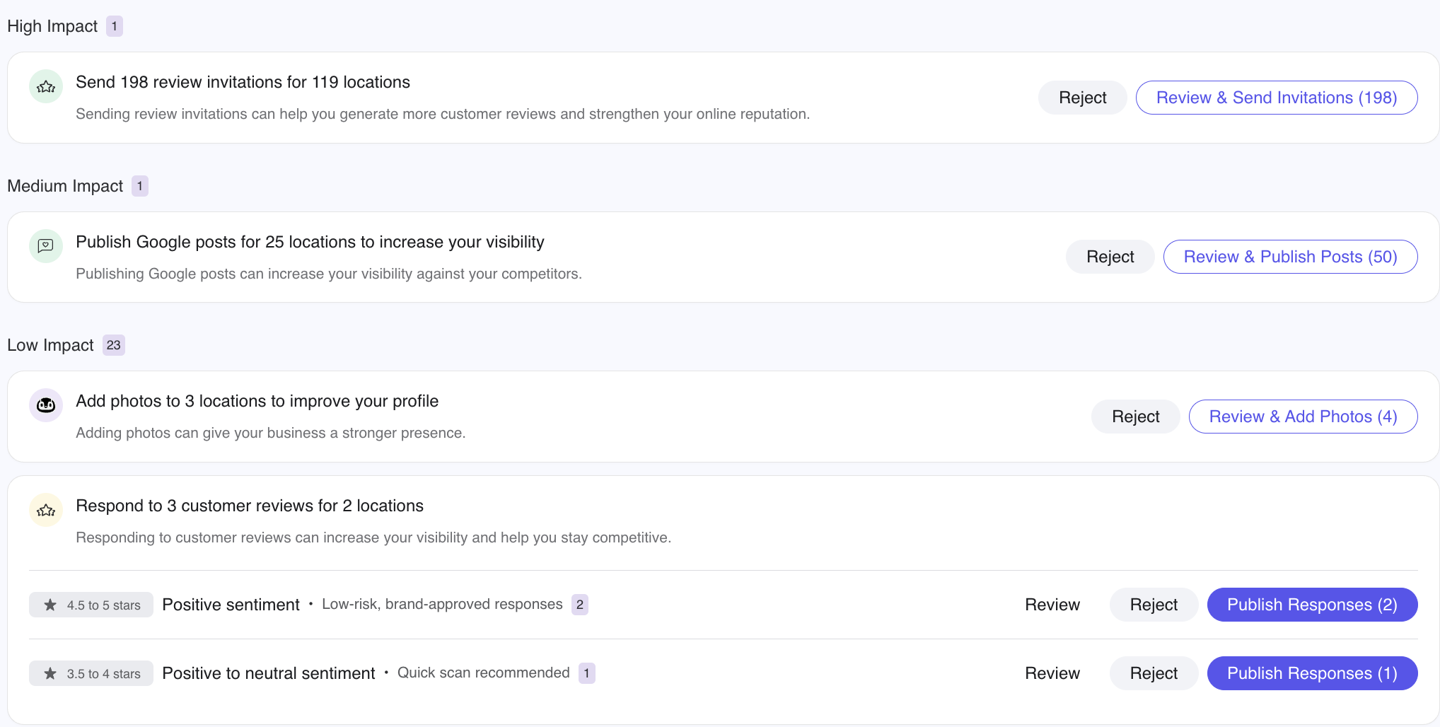
Note that the actions that appear with Action Center will depend on each customer's product subscriptions.
Action Center is on by default for every Yext customer. You can disable it by going to Account Settings > Account Features.
Yext Home
Yext Home, powered by Scout, is moving out of beta and now features a preview of the Action Center, where you can discover, review, and act on priority-sorted actions from Yext's AI agents across Listings, Reviews, Social, Knowledge Graph, and Scout. The Action Center replaces the former Scout Actions on your homepage, and for customers on Scout, actions also show how they compare to up to 5 nearby competitors.
Non-Scout customers on Yext Home will continue to see only 1 competitor for overall AI and Google Win Rate, and only 2 Scout-driven actions among the actions from Yext’s other AI agents within Action Center.
Notifications for License Pack Consumption
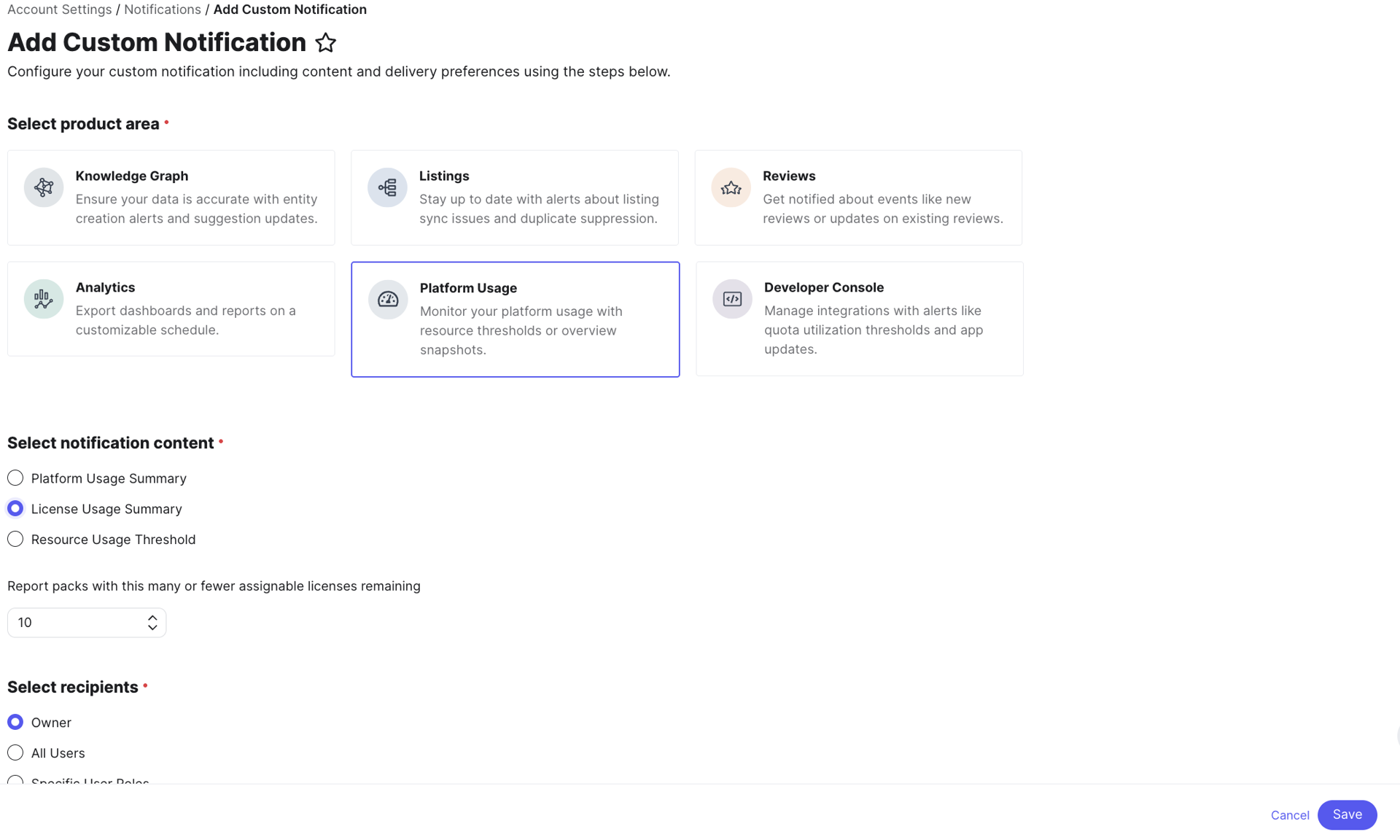
Users can now receive proactive reports when assignable licenses in a license pack fall below a threshold they define. A new License Usage Summary option in the Platform Usage section of notification settings lets you choose your preferred day of the week for the report and set the quantity threshold that triggers the alert, so teams can act before licenses run out.
See the Create Platform Usage Notifications doc to learn more.