Listings
Publisher Status Monitor
Publisher disruption information is available directly in the platform. Previously, users would need to go to the Yext help site to understand why listings might be experiencing issues.
To review publisher disruption information, navigate to Listings > Publishers. On this screen, you can see which publishers have active disruptions, drill into a full timeline of status updates per publisher, and subscribe to notifications as disruptions evolve.
To receive notifications about publisher disruptions, select Disruption Updates on the Publishers page and create a Listings notification with Publisher Disruptions set as the notification content. Users with notifications set up will be notified when a disruption is detected that may affect their listings, when progress is made toward resolution, and when the disruption is resolved.
Bulk Escalate Listings Issues
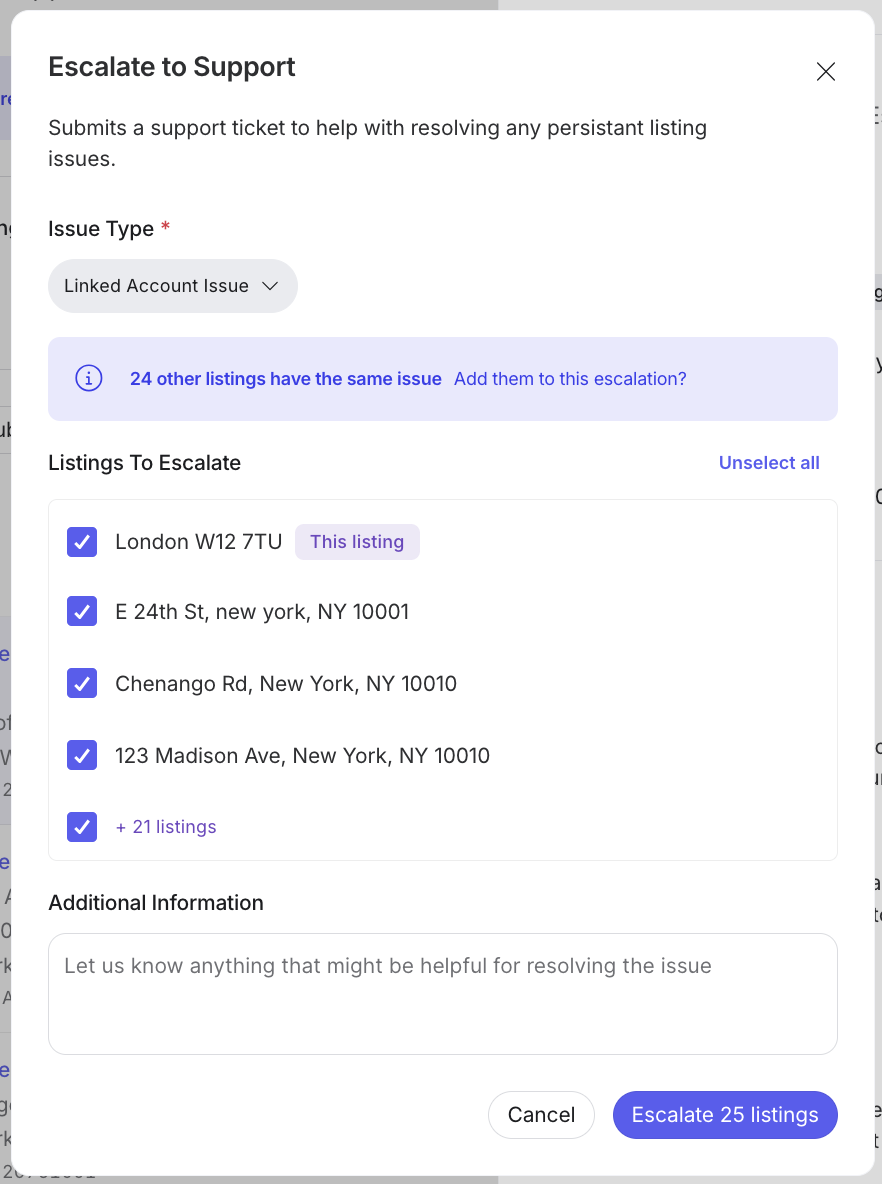
You can now escalate multiple listings with the same issue type into a single support ticket.
You can escalate a listing from the All Listings screen by selecting a listing, clicking the … icon in the top right corner, and choosing the escalate listing option. Within the escalation modal, select your issue type to see affected listings. Then you can choose to escalate them individually or in bulk. This streamlined process eliminates the need for manual, repetitive tickets, helping you resolve widespread issues faster and more efficiently.
Field-Level Publisher Warnings in Entity Edit
You can now verify that entity updates meet specific publisher requirements before they are sent to Google or Facebook. This helps prevent listings sync failures by ensuring your data follows publisher guidelines upfront.
When editing an entity, you will notice a new Validate for Publisher Listings button located under supported fields. If you click this button and there is an error, you will receive a warning message with instructions on how to fix the issue. Once there are no issues, you will receive a message that the validation passed.
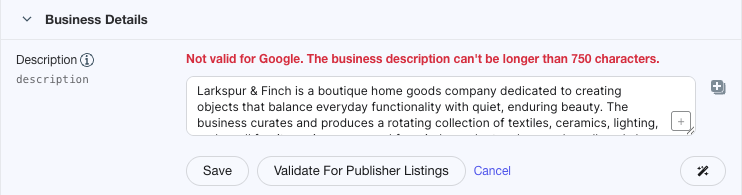
This feature is currently available for the following fields:
- Business Description
- Gallery Photos
- Google Account ID
- Facebook Store ID
- Facebook About
Apple for Reseller
Resellers can now link Apple Business accounts on behalf of their customers directly within the Yext platform. This update provides your clients with immediate access to premium Apple Business features, including Insights, Social Posting, and enhanced Branding. By streamlining the delegation process, you can now scale your service offerings and manage customer listings more efficiently.
Google Analytics Cleanup: Removing BUSINESS_FOOD_ORDERS
We have removed the BUSINESS_FOOD_ORDERS (ORDER_NOW) metric from Google Analytics reporting. Google shut down its native "Order with Google" integration in June 2024; therefore, this removal will clean up reporting and eliminate the return of bad data.
Historical data for BUSINESS_FOOD_ORDERS is only available through September 2024.
Deprecated Legacy Google and Facebook Analytics Metrics
In the April 1, 2026 release, we announced the deprecation of several legacy Google and Facebook analytics metrics. Those metrics have now been fully removed from the Yext Analytics API. Requests referencing these metrics will fail:
GOOGLE_SEARCHESGOOGLE_SEARCH_VIEWSGOOGLE_MAP_VIEWSGOOGLE_CUSTOMER_ACTIONSGOOGLE_PHONE_CALLSGOOGLE_FOLLOWERSFACEBOOK_CTA_CLICKSFACEBOOK_TALKING_ABOUT
Users need to remove these metrics from any API requests, reporting pipelines, or integrations to avoid errors.
Publishers
Breakfast Hours Syndication for Google & Apple
Yext now syndicates breakfast hours to both Google and Apple. If your business serves breakfast, those hours will now appear directly on your Google and Apple Maps listings.
Publisher Expansion: Bing in France
Bing is now available as a publisher in France. Businesses with French locations can now sync their listing data to Bing through the Yext platform.
New Publisher Integration: Dola
We are excited to announce the addition of Dola to the Yext Publisher Network.
Yext now syncs brand-certified data globally to Dola to power more accurate consumer interactions. Please note that Dola is currently not available to users in the US and Canada.
Since Dola is a blind submission publisher, we will send them data, but it is not guaranteed that they will use or display this information to their users.
Publisher Deprecation: Ourbis
Ourbis has been removed from the Yext Publisher Network. We will no longer be syncing data to this publisher.
Publisher Deprecation: GoYellow
Go Yellow has been removed from the Yext Publisher Network. We will no longer be syncing data to this publisher.
Publisher Deprecation: Scoot
Scoot has been removed from the Yext Publisher Network. We will no longer be syncing data to this publisher.
Publisher Deprecation: Menupix
Menupix has been removed from the Yext Publisher Network. We will no longer be syncing data to this publisher.
Publisher Deprecation: Allmenus
Allmenus has been removed from the Yext Publisher Network. We will no longer be syncing data to this publisher.
Publisher Update: Bing Menu Deprecation
Yext will no longer sync menu data to Bing. All other Bing listing data will continue to sync as normal.
Reviews & User-Generated Content
Review Date Field Updates
We've clarified how review date fields work in Yext to create a more intuitive experience that is better aligned with what you'll see in the Google UI. Your analytics and reporting will now also reflect the most recent, meaningful changes to reviews.
What's changing:
- "Date" is now "Last Updated Date" and only reflects user-generated updates, such as rating or content changes. Business responses and comments no longer affect this field.
- "Review Date" is now "Created Date" and reflects the date the customer originally wrote the review.
- Analytics time ranges are now powered by "Last Updated Date", so your reporting accurately reflects the most recent version of a review, not just when it was first published.
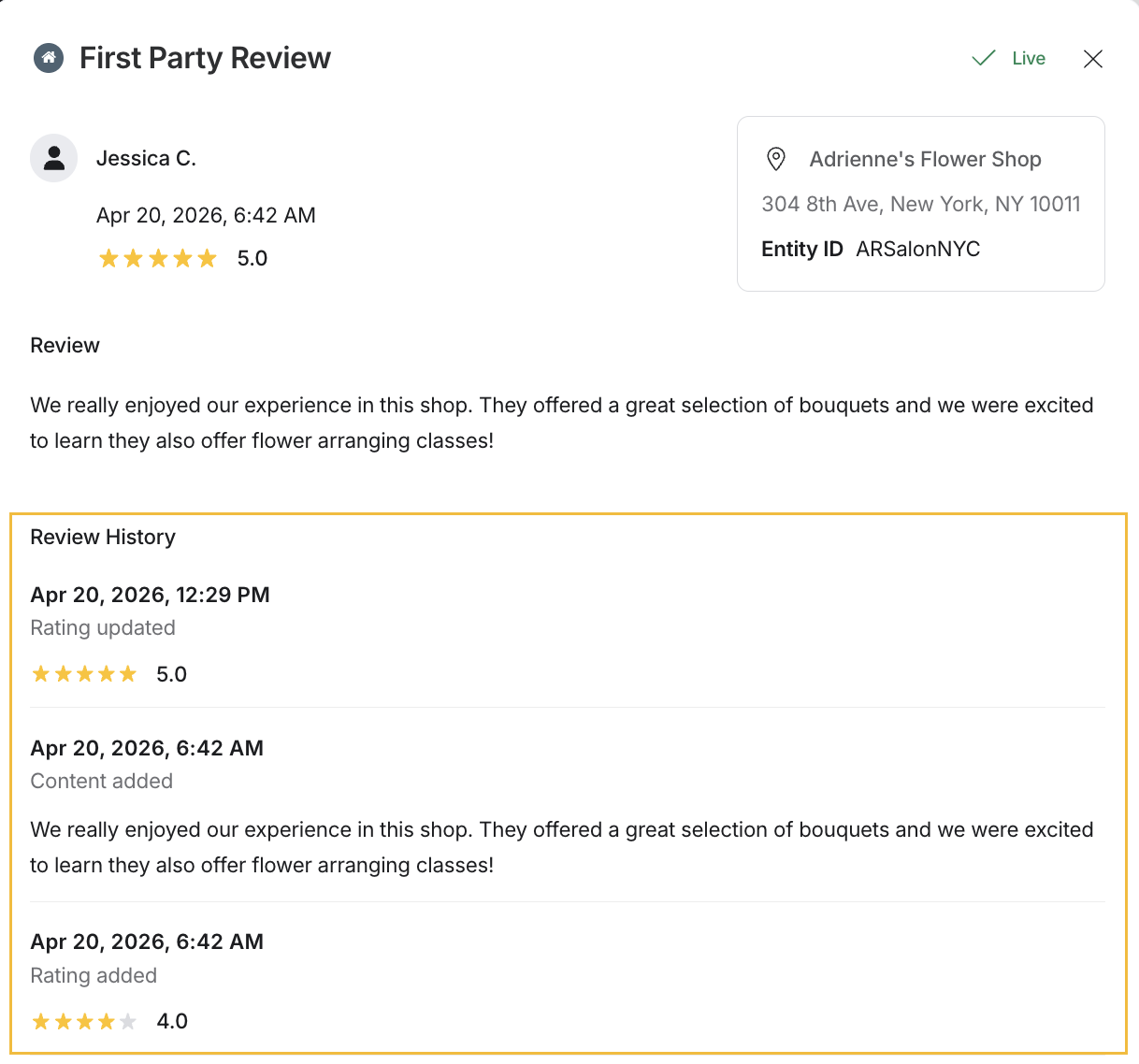
- Review history is now available. Open any review and see a log of rating and content changes over time.
New Contact Frequency Options for Review Generation
We've expanded the maximum contact frequency settings in Review Generation to include 6-month and 12-month intervals. This gives you greater flexibility over outreach cadence, helping to reduce contact fatigue for recurring customers or patients while still allowing for periodic review requests. You can configure the new intervals directly in Review Generation settings.
AI-Generated Review Summaries Now Available in Knowledge Graph Stream Source
AI-generated review summaries are now exposed as a field in the Knowledge Graph Stream Source. These summaries can now be accessed and published for entities with 100 or more reviews, supporting the ability to display review summaries on your own pages or in widgets.
The Knowledge Graph Stream Source now includes two new fields for review summaries:
summary: A paragraph-style, generated review summary (the text shown directly to users).structuredSummaries: A structured summary format consisting of a title and description, enabling categorized or modular presentation.
No additional setup is required. If you're already using Streams, these fields will be available automatically.
Knowledge Graph (formerly known as Content)
Knowledge Graph Agent
The Knowledge Graph Agent leverages AI to enrich the data of existing location-based entities (e.g., location, restaurant, ATM, and healthcare facility). This allows users to easily enhance their data quality and completeness.
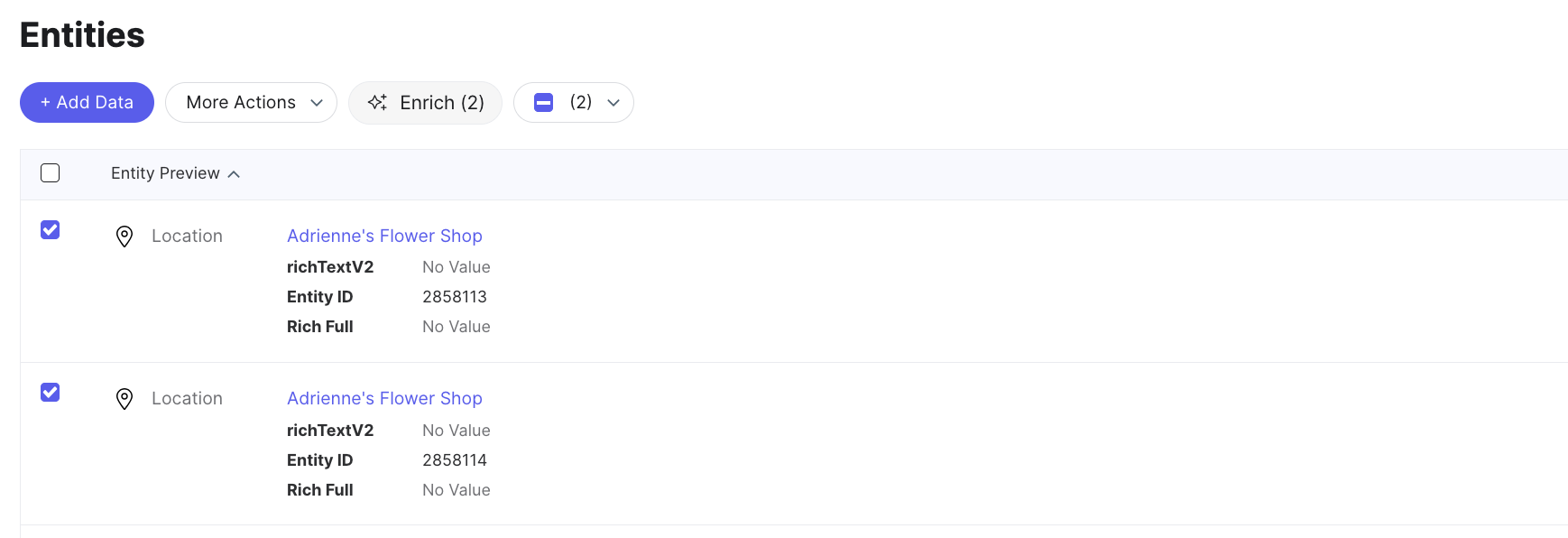
To start the enrichment process, navigate to Knowledge Graph > Entities, select the entities you want to update, and click the Enrich button. The Knowledge Graph agent will identify gaps in your data and provide a set of recommended fields for enrichment.
- Automated Suggestions: For Scout users, recommendations are generated automatically during every scan and appear in the Suggestions screen for approval.
- Manual Enrichment: You can also manually trigger enrichment for single entities or in bulk directly from the Entities screen.
Brand Profiles
This feature introduces a native Brand layer to the Knowledge Graph, enabling better management of single or multi-brand parent organizations and providing richer brand-level context.
You can create brand profiles by navigating to Account Settings and selecting Brands. Once you select the +Add a Brand button and specify your website, Yext will extract brand-level details such as logos, description, colors, and brand voice, which can be leveraged across Yext products and AI features.
Once a brand profile is created, a new Brand entity will be added to the Knowledge Graph and will automatically be linked to relevant entities. Users can also manually define parent-child brand relationships.
Upon release, Yext will make brand profiles within your account. Those profiles will automatically be connected to existing entities. If needed, you can create a new brand or edit the existing one to ensure your brand data is correct.
Connectors
Entity Enrichment Google Connector
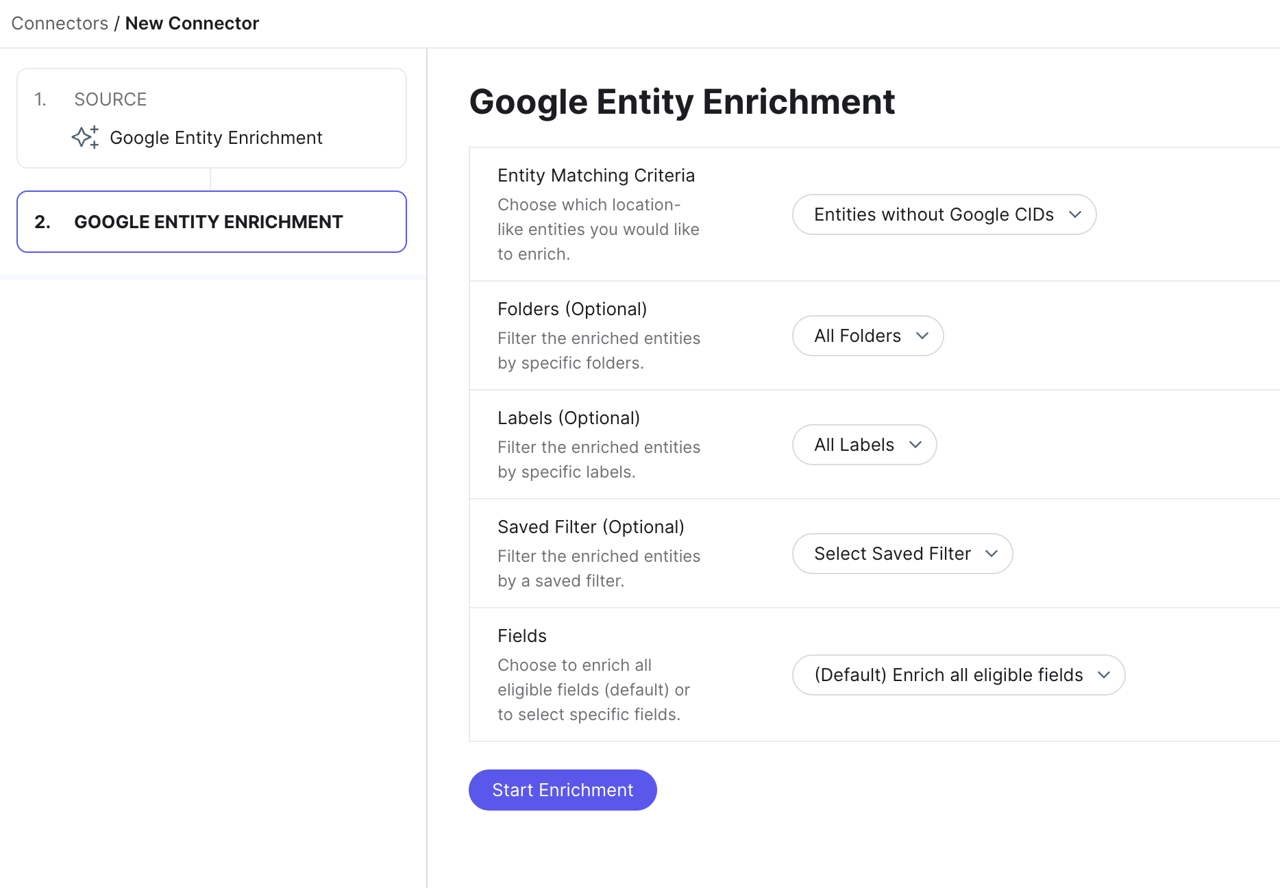
Users can now enrich their entities using a new connector that scrapes their Google listings information for additional data. This ensures that entity data is accurate and consistent with what is publicly available on Google.
To enrich your entities with Google, navigate to Knowledge Graph > Connectors and select Google Entity Enrichment. Users will then select which entities and fields to enrich, and then run the connector.
Skip Invalid Mappings
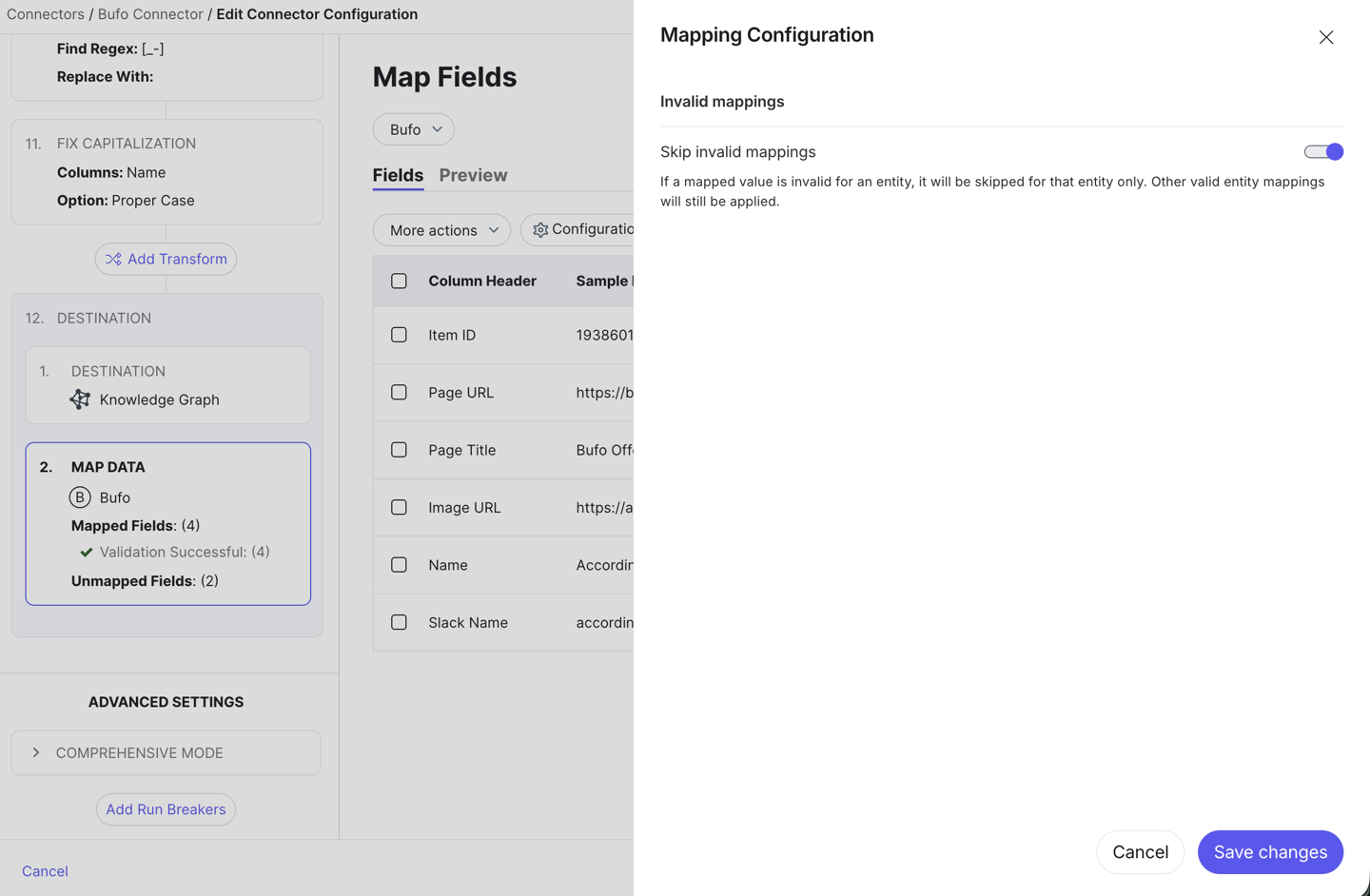
Admins can now enable the Skip Invalid Mappings toggle within Connector settings to prevent individual data errors from causing an entire run to fail. This feature ensures that valid data continues to be processed uninterrupted, significantly increasing integration reliability and reducing the need for manual intervention. By automatically skipping invalid entries, you can maintain a consistent data flow and address specific mapping issues at your convenience.
Analytics
Updated Analytics Dashboard Filter Bar
The filter pill component in the Analytics Dashboard filter bar has been visually updated. This change streamlines the appearance and usability of the filter selection interface.

Analytics Additional Folder Dimensions and Filters
Analytics reporting now supports dimensions and filters for N-th level entity folders, making it easier to segment and analyze performance across entity folder structures.
For example, if you select the dimension for the top-level folder, the report will show a row for every top-level folder in your account. If an entity isn't in a folder, it just falls back to the root folder. You can also filter by a specific top-level folder, and the report will automatically include data for everything inside it, including all the sub-folders.
Analytics Total Row Improvements
We’ve improved the Show Total Row functionality in Analytics Dashboards and Report Builder to ensure grand totals only appear when relevant. With these improvements:
- The Total row for analytics insights now correctly aggregates non-sum metrics (e.g., averages such as Average Rating).
- The Show Total Row functionality should now be more correctly delineated as only valid for table insights.
These changes reduce confusion and ensure the usability and accuracy of your reports.