Listings
New Hero Numbers for Listing Issues
The Not Synced listings issue status is being broken out into two hero numbers:
- Action Required: counts blocking issues (e.g., your linked account gets disconnected) on Google, Apple, Facebook, Bing, and Yelp. These are critical issues that need correction in order to ensure the successful syncing of information between Yext and the publisher.
- Optimize: covers non-blocking issues (e.g., description exceeds character count) on those same five publishers, as well as both blocking and non-blocking issues across the rest of the publisher network.
By distinguishing urgent fixes from other issues, brands can focus their efforts on actions that matter most.
See Review Listing Statuses to learn more.
Publishers
Yext Integrates with Justdial
Yext is integrating with Justdial, an extensive local search platform for Indian locations. Available for locations in India, across all Yext categories.
Listings Accuracy Tool Deprecated for Bing
We are deprecating the Verifier/Listings Accuracy tool for Bing because it is no longer supported by Bing.
Reviews & User-Generated Content
Google Media Displayed in Review Monitoring
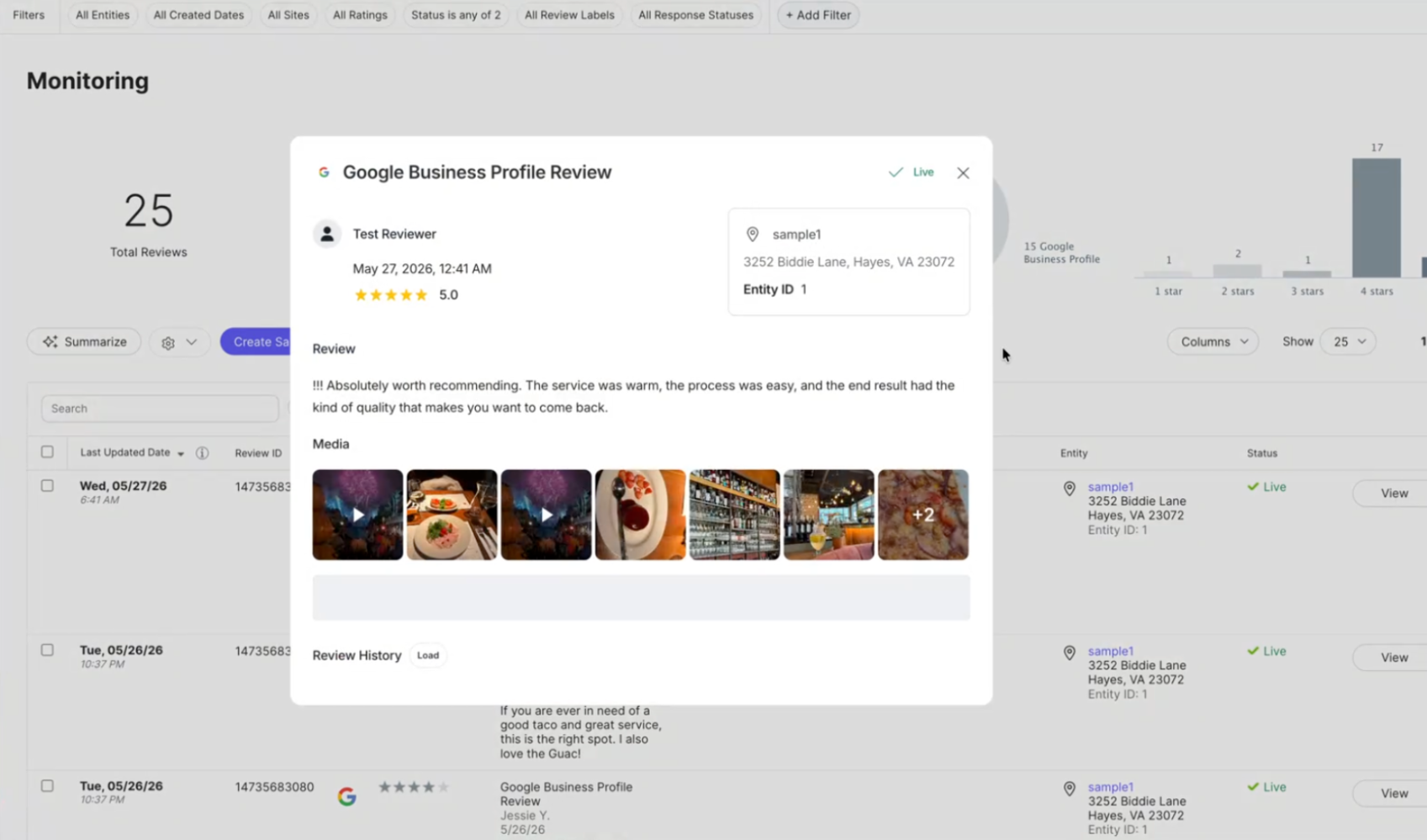
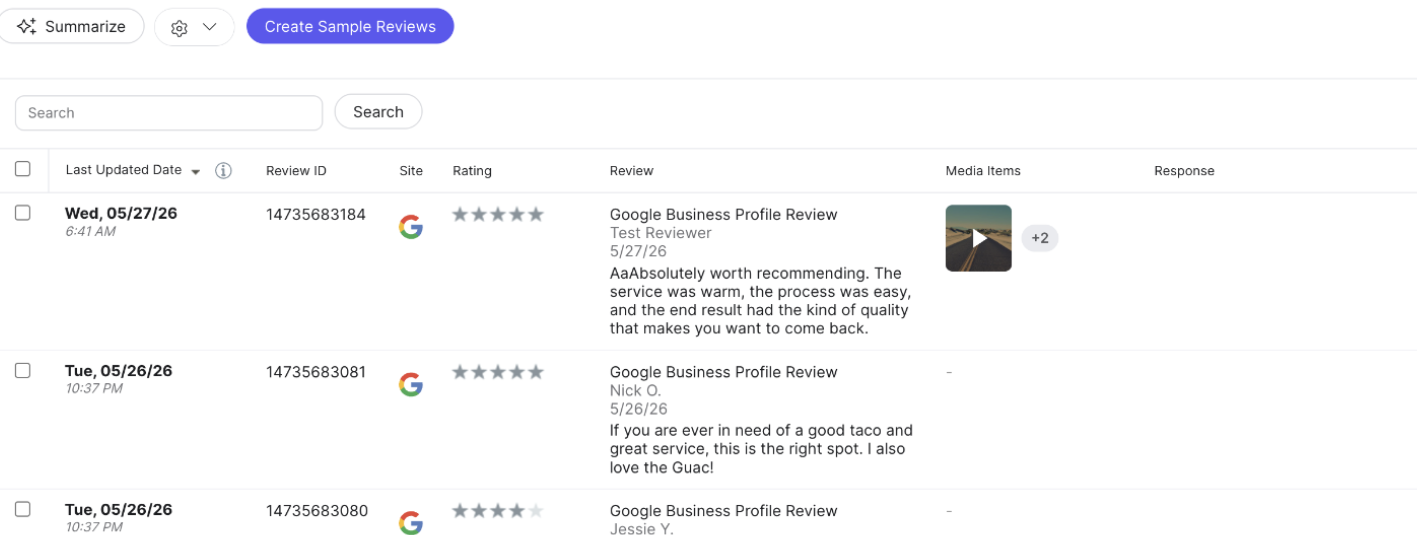
Yext now ingests and displays photos and videos attached to Google reviews directly alongside the associated review in the Review Detail modal, giving teams the full picture of customer feedback in one place without switching to Google Business Profile. Previously, Yext could only ingest review text, ratings, and metadata.
Configure Review Generation at the Entity Level
Customers can now configure Review Generation settings on a per-entity basis, overriding the account-level defaults for specific locations. The overrides allow organizations to do things like set a maximum number of invitation emails specific entities can send in order to prevent high-volume entities from exhausting shared limits. Entity-Level override works on a field-by-field basis so any field not overridden continues to inherit the business-level setting. To configure overrides, select an entity in the Knowledge Graph and update values in the Review Generation section.
Subscription Requirement for Trustpilot Reviews
Trustpilot requires an active paid subscription to monitor and respond to reviews through third-party platforms. To ensure our integration is fully aligned, Yext will begin enforcing this requirement for all domains starting October 30, 2026.
Accounts without an active subscription after that date will lose access to Trustpilot reviews and review history
Social
Embedded Fields in Comment and DM Responses
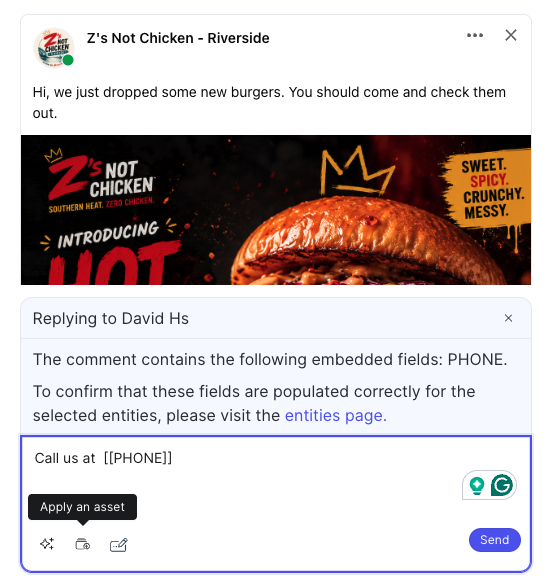
Text assets used for comment and DM replies now support embedded Knowledge Graph fields. When you select an asset to reply to a comment or DM, any embedded field in the asset (e.g., mainPhone) is automatically pulled from the relevant entity. This makes response workflows faster and more consistent at scale, especially for teams managing high volumes of social interactions across multiple locations.
See the Comments and Direct Messages documentation to learn more.
Order Social Posts by Date in the Yext API
The Posts: List endpoint now supports a sortBy query parameter, allowing developers to control whether results are returned newest-first or oldest-first by creation date. The default order remains newest-first, so existing integrations are unaffected. When paginating, the same sortBy value must be passed with each page token. To use this new parameter, you must use vparam 20260812 or later.
Select Entity Field for Redemption URL on Google Offer Posts
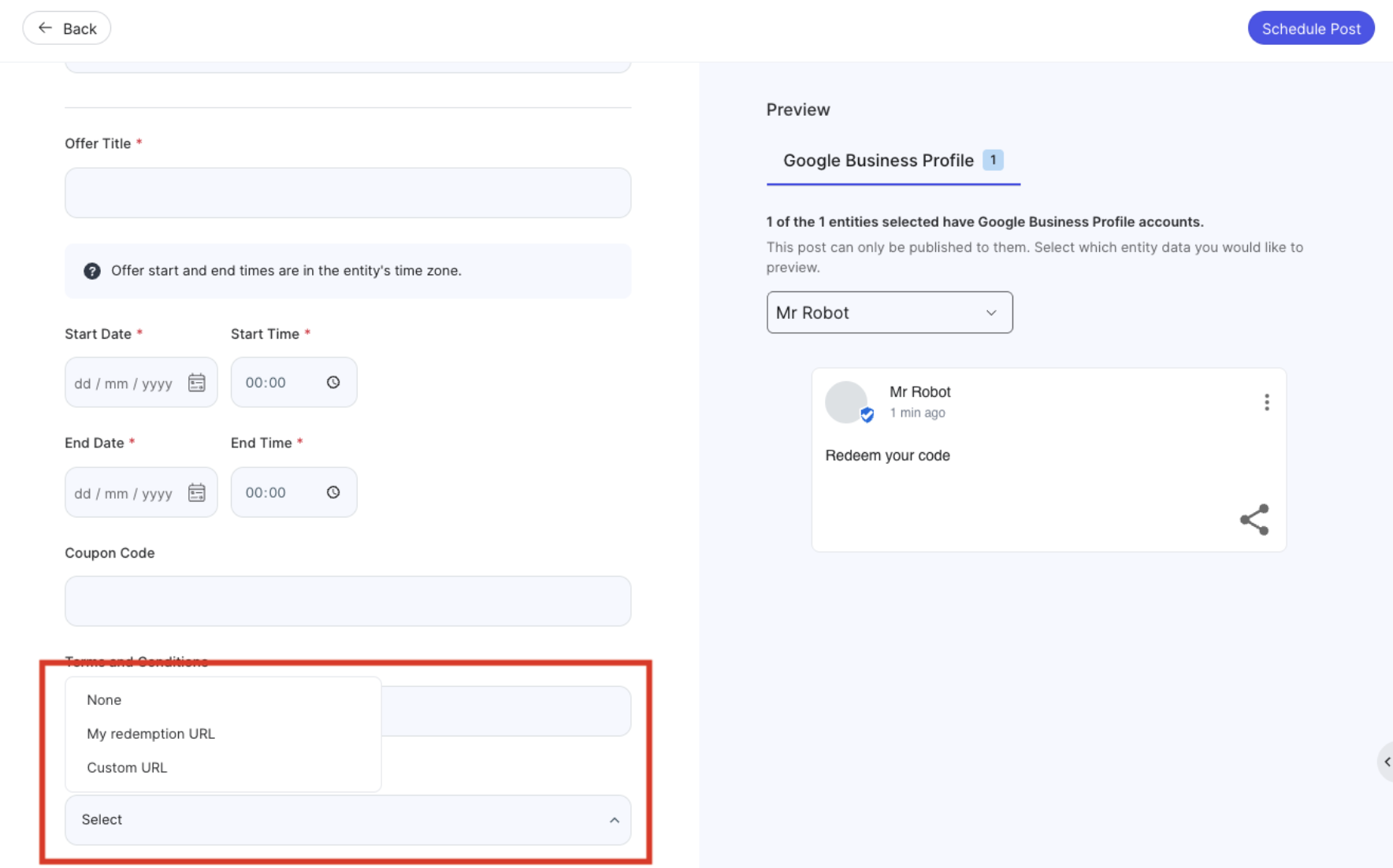
Google Offer Posts now support dynamic Redemption URLs mapped to Knowledge Graph entity fields, making bulk publishing practical for multi-location brands. Previously, the Redemption URL required a single static value, meaning teams either skipped offer posts or published them one location at a time. Now users can select a URL field from the Knowledge Graph, and the platform automatically pulls the correct location-specific URL.
New Media Upload Permission for Social Posts
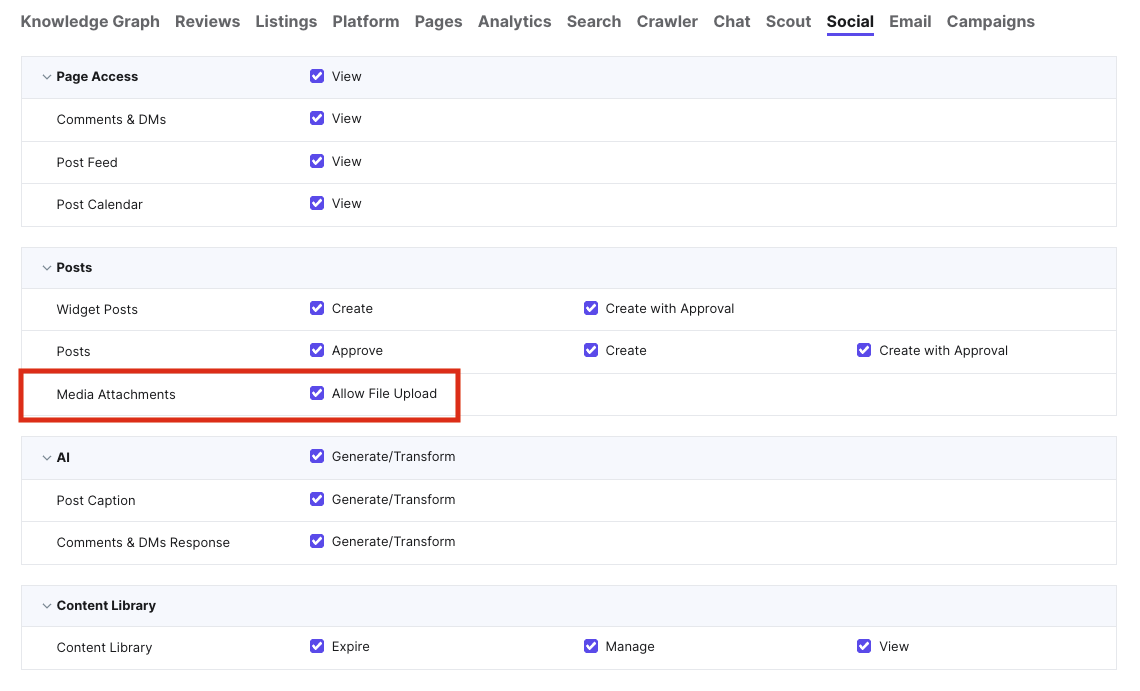
A new role-level permission, Media Attachments > Allow File Upload, has been added to determine if specific users are allowed to attach media (i.e., images and videos) from their local computer or a public URL when creating social posts.
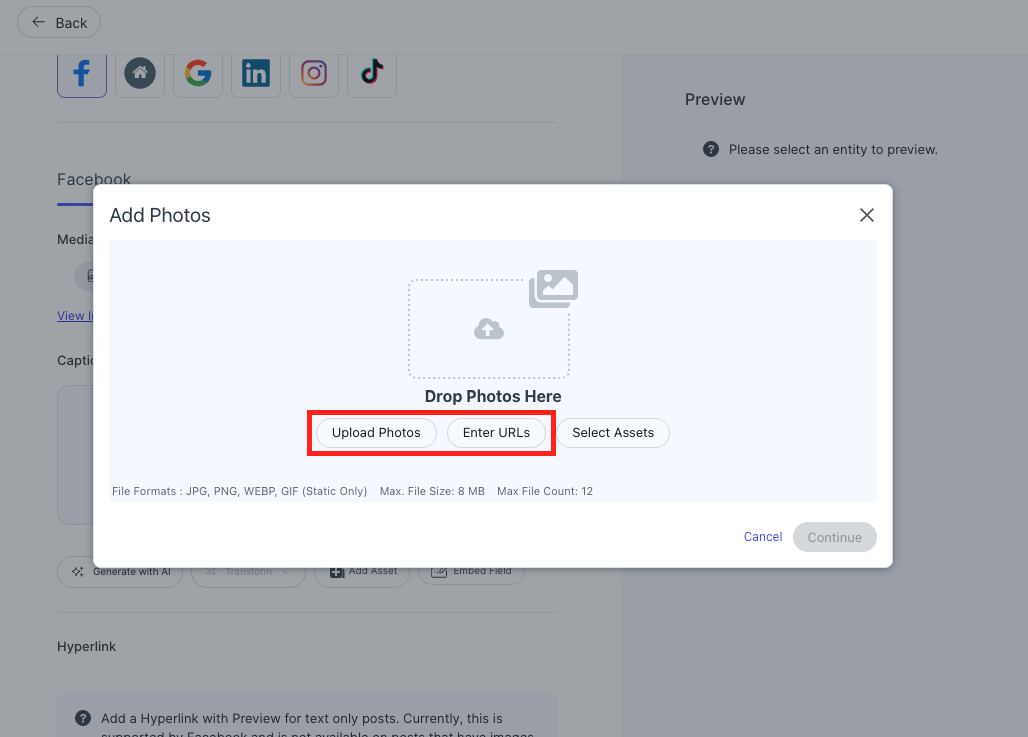
When turned off for a role, local upload and public URL options are hidden from the post composer entirely, and they can only select media from the organization's approved Asset Library. This gives organizations a hard enforcement mechanism for brand governance and compliance, ensuring that store managers and field users publish only pre-approved content.
You can update this permission by navigating to Admin Settings > Roles. Once you select a role to edit, click the Social tab and scroll to Posts. The permission is selected by default (file upload allowed) for all existing roles; you must explicitly uncheck it for roles you wish to restrict.
See Media Upload Permissions for Social Posts to learn more.
Scout
AEO & SEO Performance Pages
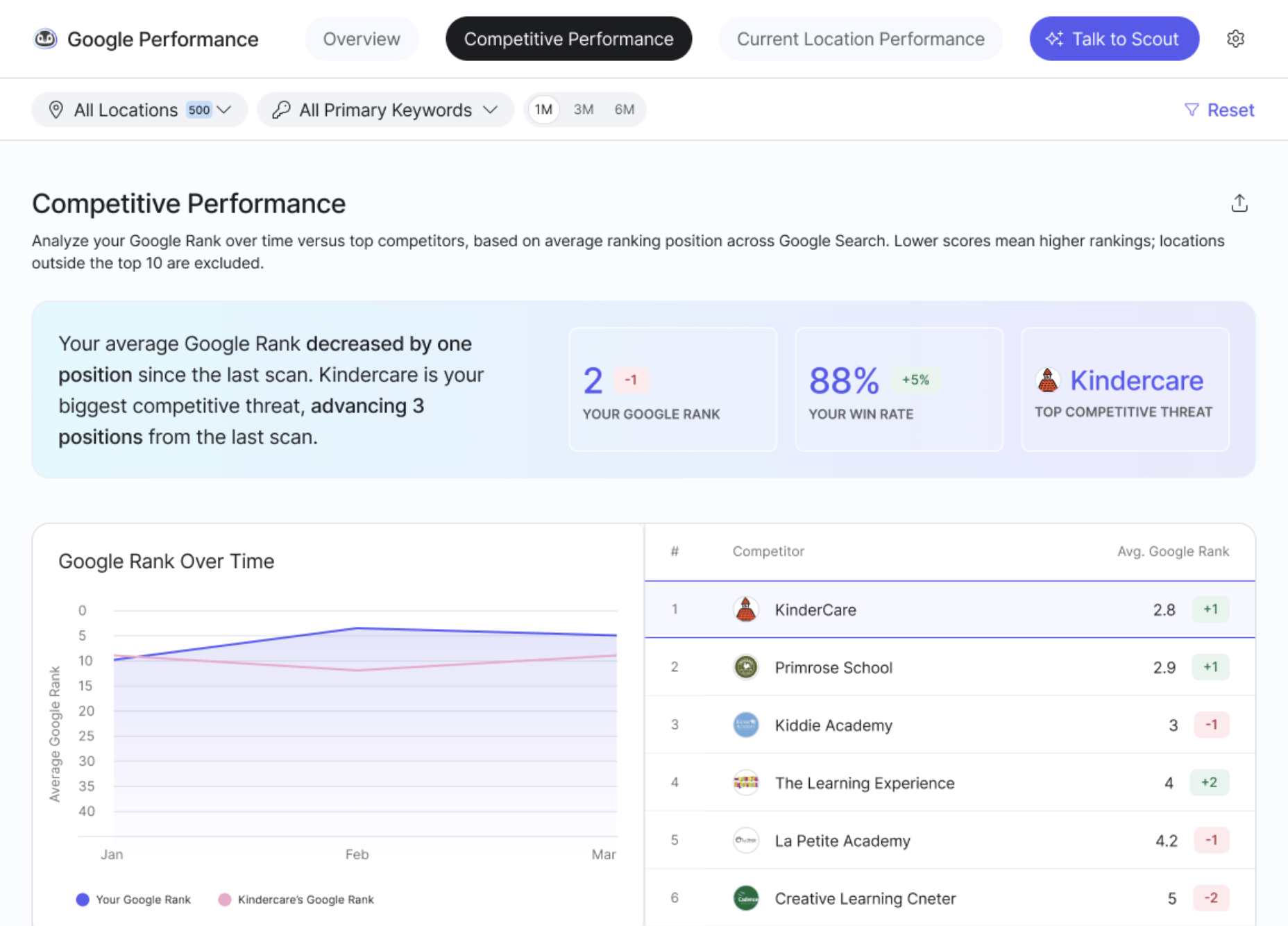
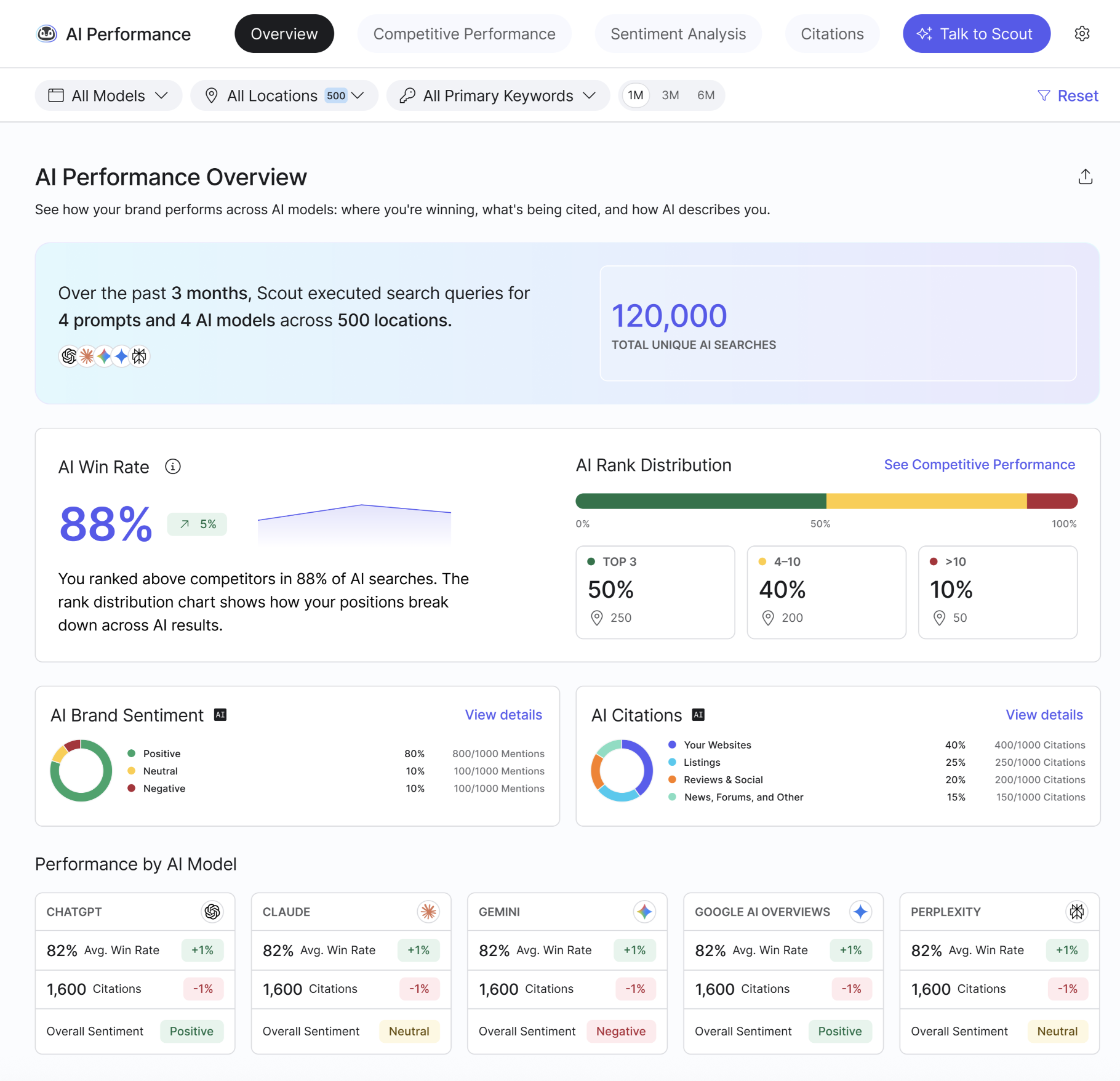
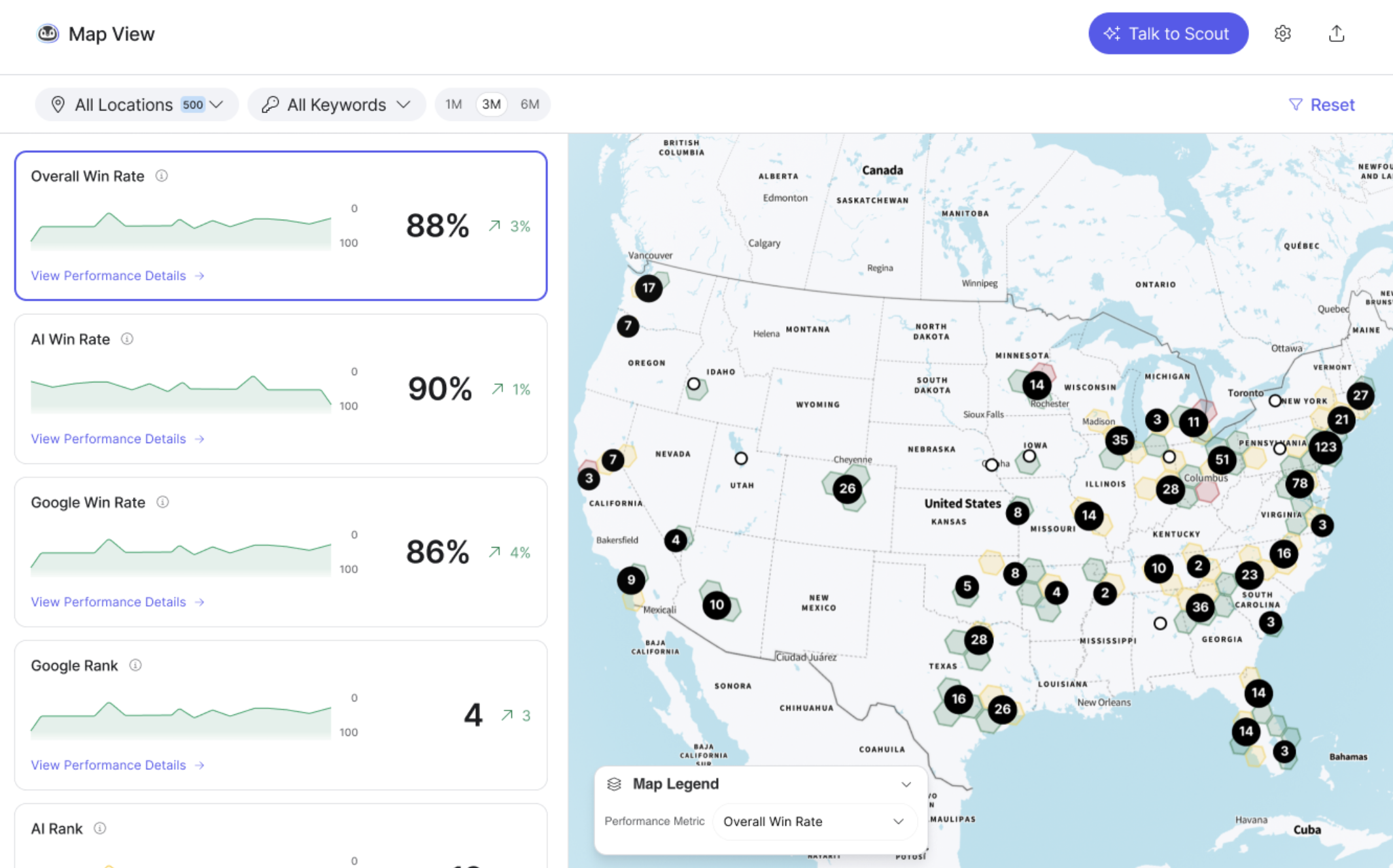
Scout now includes dedicated Google Performance (SEO) and AI Performance (AEO) detail pages, giving customers a centralized destination to measure and improve their visibility across search and AI experiences. Full drill-down capabilities and data exports are available for paid Scout customers, with basic KPIs available on the free tier. These pages replace the previous Visibility Report and Metric deep dive pages. Here is what each page includes:
- Google Performance: Centralizes keyword and competitor performance, location-level metric explorers, and competitive rank trends. It includes new breakdowns for Win Rate and average Google Rank by keyword and location.
- AI Performance: Consolidates AI Win Rate, AI Rank, brand sentiment analysis, and AI Citations. It introduces tracking for Google AI Overviews, allowing users to filter for model-specific data.
- Map View: Map tiles now reflect Win Rate as a hero metric for Overall, AI, and Google visibility.
Google AI Overviews Added as AI Scraping Source
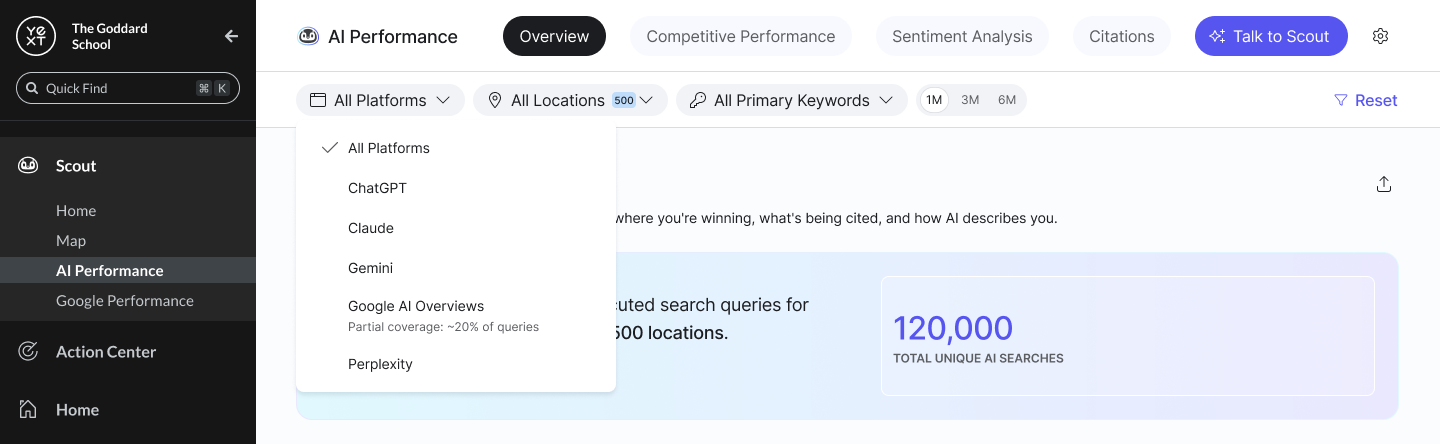
With the addition of Google AI Overviews as a scraping source, Scout now provides visibility into how brands appear within Google's AI-generated search summaries. This allows customers to track their performance and citations in one of the most prominent new AI search experiences, alongside existing models like ChatGPT and Gemini. This data is integrated throughout the Scout experience, including the UI, API, and AI QA exports.
Rank Bucket Export
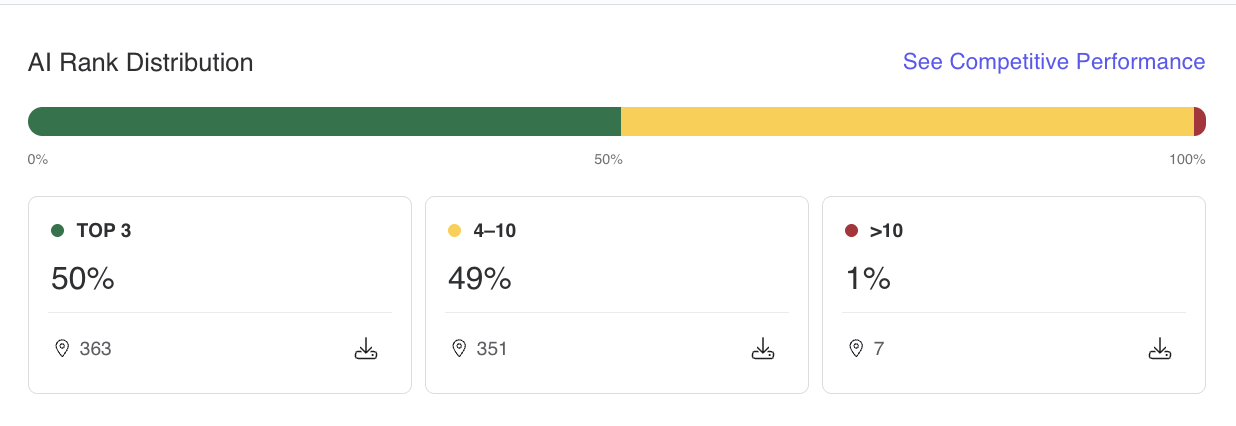
The AI Performance Overview and Google Performance Overview pages now let users export the data behind each rank bucket (e.g., top 3 or 4-10) directly from the Rank Distribution visualization. Clicking the export button on any rank card generates a CSV containing all entities and keywords in that bucket, along with details like rank, address, and run timestamp.
Functional Date Range Picker
The Scout UI now includes a more flexible date range picker, replacing the previous fixed filter options. Users can select a specific end month and choose a look-back period of 1, 3, or 6 months. making it easier to analyze performance over the timeframe needed for reporting. The updated filter is also supported in the MCP layer.
Talk to Scout Improvements
The "Talk to Scout" chat experience has been updated to provide shorter, sharper answers grounded in a broader set of live account data. Here is what's new:
- Analyzes review text for themes, listings visibility, AI sentiment, and head-to-head win rates
- Surfaces action cards that link directly into Action Center so users can act on insights without leaving the chat
- Recommends the most relevant next steps based on the conversation to keep workflows moving
- Flags what it cannot verify to improve the reliability of the information it provides
See the Scout Home Screen documentation to learn more.
Search
GDA Failure Category Visibility
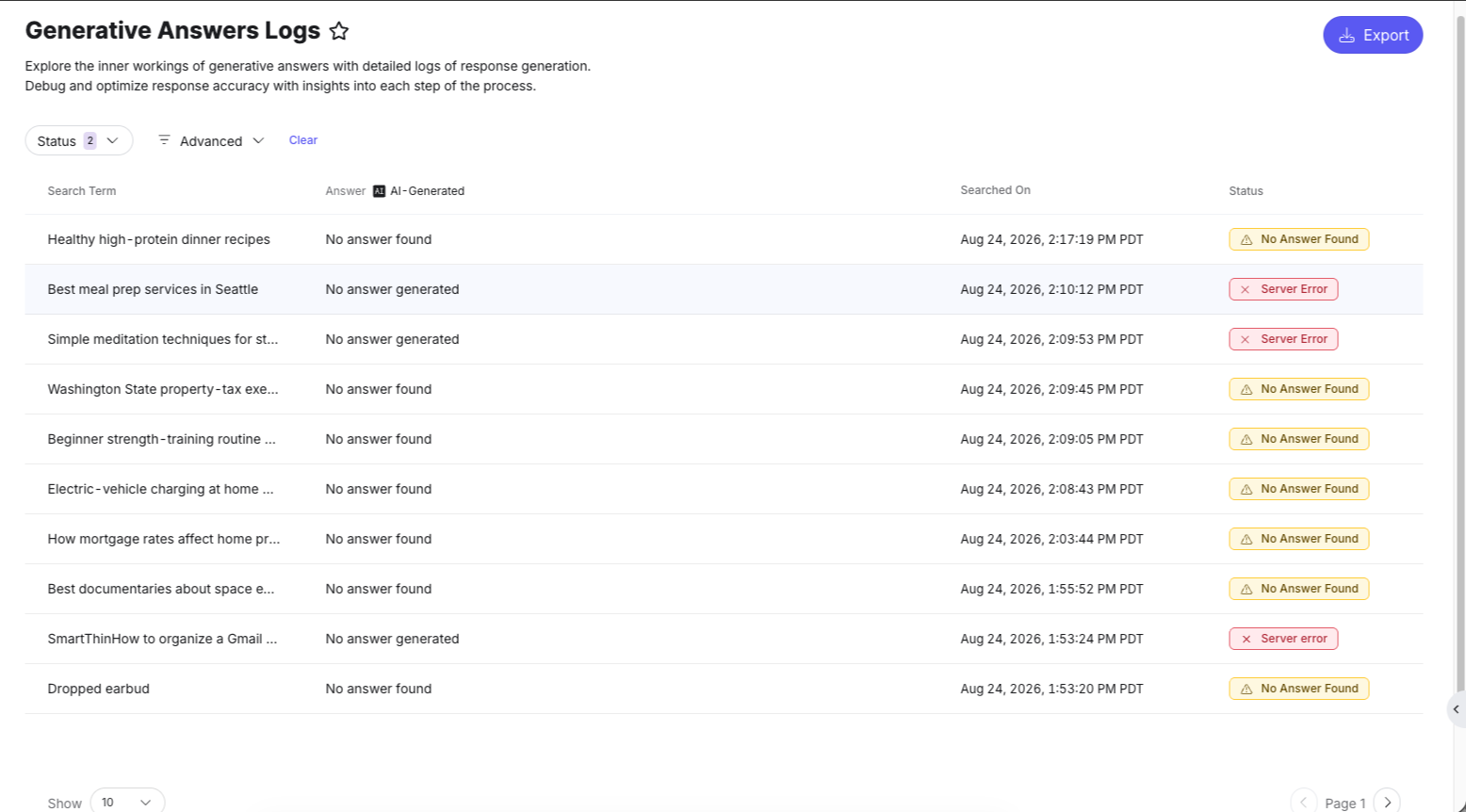
Generative Answers logs now distinguish between different types of non-delivery, giving teams clearer insight into why a summary was not returned. Previously, all failures were grouped together. Now logs surface two additional failure categories:
- No Answer Found: Cases where the LLM could not generate a summary based on the available entities and summarization rules.
- Server Error: Cases where the summary is not displayed because the summarization process could not be completed within a satisfactory timeframe and was cancelled.
See Generative Answers Logs to learn more.
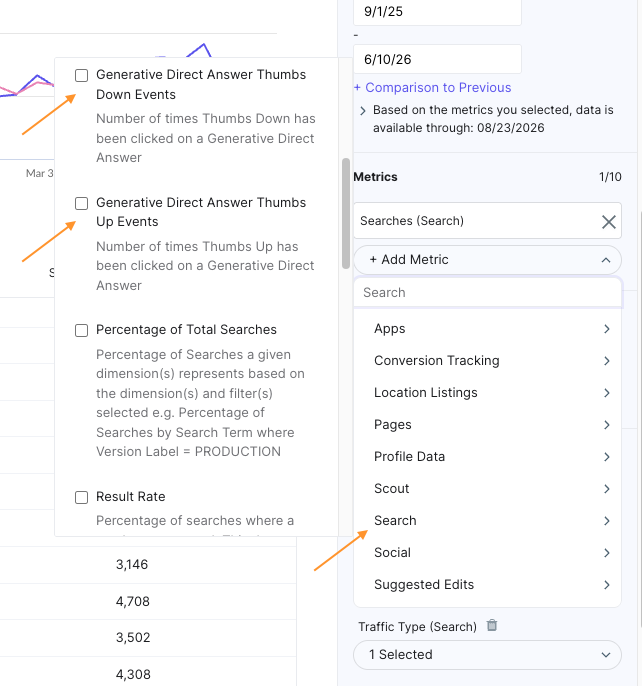
GDA Thumbs Up and Down Tracking
Generative Direct Answers display thumbs up and thumbs down icons at the end of each snippet, giving end users a direct way to signal whether the AI-generated response was helpful. Interaction data is captured and available in analytics, so you can track Thumbs Up events and Thumbs Down events in reports to evaluate the quality and accuracy of generated content over time.
Search Log Visibility Improvements for GDA
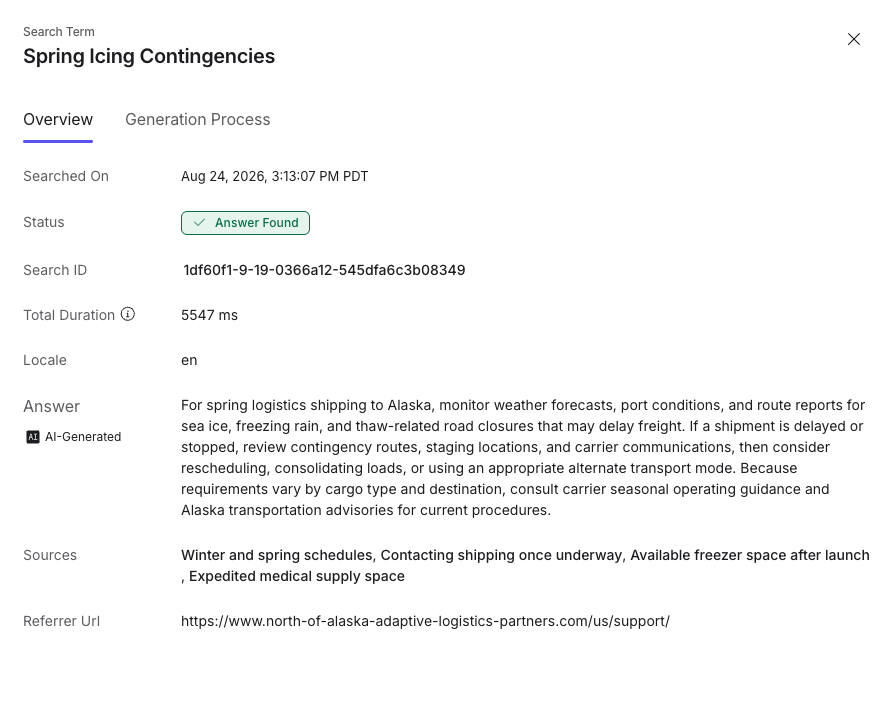
The search result details page now surfaces the referrer URL for Generative Answer search results directly in the platform UI, so teams can independently investigate where a search originated and troubleshoot response quality. When exporting GDA search logs to a .csv file, the referrer URL, sources, and a link to the log details are also included.
See Generative Answers Logs to learn more.